
Advanced document security. Real-world confidence.
Evaluate whether a presented identity document appears genuine, altered, copied, recaptured, inconsistent or otherwise suspicious. APX-DFA combines document-template analysis, OCR, barcode and MRZ cross-validation, and supported forensic imaging to return clear authentication findings.
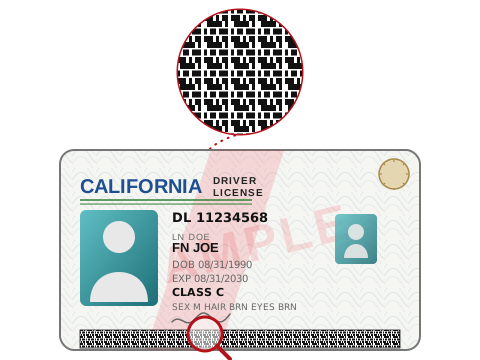
Document forensic authentication at a glance
Review the input, output and delivery options for this Acupixel module.
| Input | Images of supported driver licences, ID cards, passports and other supported identity documents. |
|---|---|
| Output | OCR and machine-readable data plus authentication findings, supporting checks and a Pass, Warning or Fail-style result. |
| Delivery | Cloud API, Local SDK |
| SKU | APX-DFA |
What Document forensic authentication does
Key capabilities for adding this module to a document or identity workflow.
-
Eleven named document-verification checks
From forensic data-driven validation to jurisdiction and address validation, each with a plain-English description.
-
Multi-layer authentication
Evaluates template consistency, security features and cross-source data integrity to identify documents that appear altered, copied, recaptured, inconsistent or otherwise suspicious.
-
Cross-source data consistency
Compares fields extracted from OCR, barcode and MRZ, and flags differences in critical fields such as date of birth, document number and expiry date.
-
Visible and forensic imaging
Uses visible-light analysis and supports UV, IR, LPT and other device-supported security-feature evidence where available.
-
Document template detection
Identifies unknown or new ID formats by analysing layout and field patterns.
-
Runs on hardware you already own
APX-Verify software runs with Acupixel scanners, with SnapShell, Thales, DESKO and E-Seek scanners, with any TWAIN-compatible scanner, and with a PC webcam.
-
Structured decisioning
Returns authentication findings, supporting checks and Pass, Warning or Fail-style results for automated decisioning or manual review.
More than one signal stands behind the result
APX-DFA combines document structure, encoded data and available security-feature evidence so teams can see what passed, what needs attention and why.
-
OCR, MRZ and barcode cross-checks
Compare critical values extracted from visible text, barcodes and machine-readable zones to expose inconsistencies.
-
Structured results
Return authentication findings and supporting checks as Pass, Warning or Fail-style results for automated decisioning or manual review.
From document presentation to a usable decision
Use APX-DFA in an onsite scanner journey or a supported remote/mobile capture flow, then route its evidence into the application and policy you already control.
Present the identity document
Capture a supported driver licence, ID card, passport or other supported identity document.
Collect the available evidence
Read visible text and machine-readable data, then add supported UV, IR, LPT or other device-provided security-feature images where available.
Cross-check the signals
Evaluate template consistency, security features and data agreement across OCR, barcode and MRZ sources.
Route the result
Use the authentication findings and Pass, Warning or Fail-style result in automated decisioning or send them to manual review.
| Capability | APX-DFA |
|---|---|
| Supported documents | Driver licences, ID cards, passports and other supported identity documents |
| Imaging channels | Visible, UV, IR, LPT and other device-supported security-feature imaging |
| Capture modes | Scanner-based onsite workflows and supported remote/mobile capture workflows |
| Typical outputs | Authentication findings, supporting checks and Pass, Warning or Fail-style results |
| Deployment | API, local SDK, scanner workflow, kiosk and integrated partner workflows |
| Companion services | APX-DTA, APX-AAMVA, APX-IDV-Match, AcuFace, APX-SOR and APX-AML/KYC |
Forensic evidence varies by document, capture mode and device. UV, IR, LPT and other security-feature imaging are used where available and supported.
Related products
Combine focused Acupixel modules to build the verification workflow your product needs.
OCR data capture
OCR, MRZ, VIZ and PDF417 capture, as a cloud API or a local SDK.
Input Card images.
Output An OCR reading of the document's data.AAMVA driver's licence data verification
AAMVA verification covers 45 states, with Pennsylvania added in 2026.
Input Driver's licence data.
Output Verification against the issuing DMV's own record, through the AAMVA network.IDV Match
APX-IDV-Match connects identity and driver's licence information with Social Security identity data, phone ownership or association, and email identity data—giving your workflow broader nationwide evidence for its next decision.
Input Identity data such as name, date of birth, address and driver's licence or other identity information.
Output A multi-source identity corroboration result for downstream decisions.AcuFace biometric facial matching
AcuFace compares a live capture with a reference portrait, returns a 1:1 match and liveness determination, and retains no biometric data—no templates, images or embeddings. Deploy it in the cloud or on-premise.
Input A live capture and the document portrait.
Output A 1:1 match score and a liveness determination.Document liveness
Document liveness checks the presentation itself: a paper printout, a photo of a screen, or another non-original way of presenting a document, distinct from forensic authentication of the document's own security features.
Input A captured document image.
Output A determination of whether the document itself was presented live, or as a paper copy or screen re-capture.Sanctions watchlists
PEP, sanctions and adverse-media screening, across UN, OFAC, UK, Canada and EU lists, with ongoing monitoring options.
Input Identity data.
Output Watchlist, PEP, sanctions and adverse-media hits, across UN, OFAC, UK, Canada and EU lists, with monitoring options.
Built for identity workflows across
Related documentation
Review the guides and endpoint details for planning an implementation.