
Accept mobile credentials without giving up physical-ID workflows.
Read mobile driving licences and supported digital identity credentials over NFC or QR/barcode in remote and onsite workflows, with physical ID and passport paths available when needed. Designed for ISO 18013-5-aligned mobile identity deployments as issuer and jurisdiction support expands.
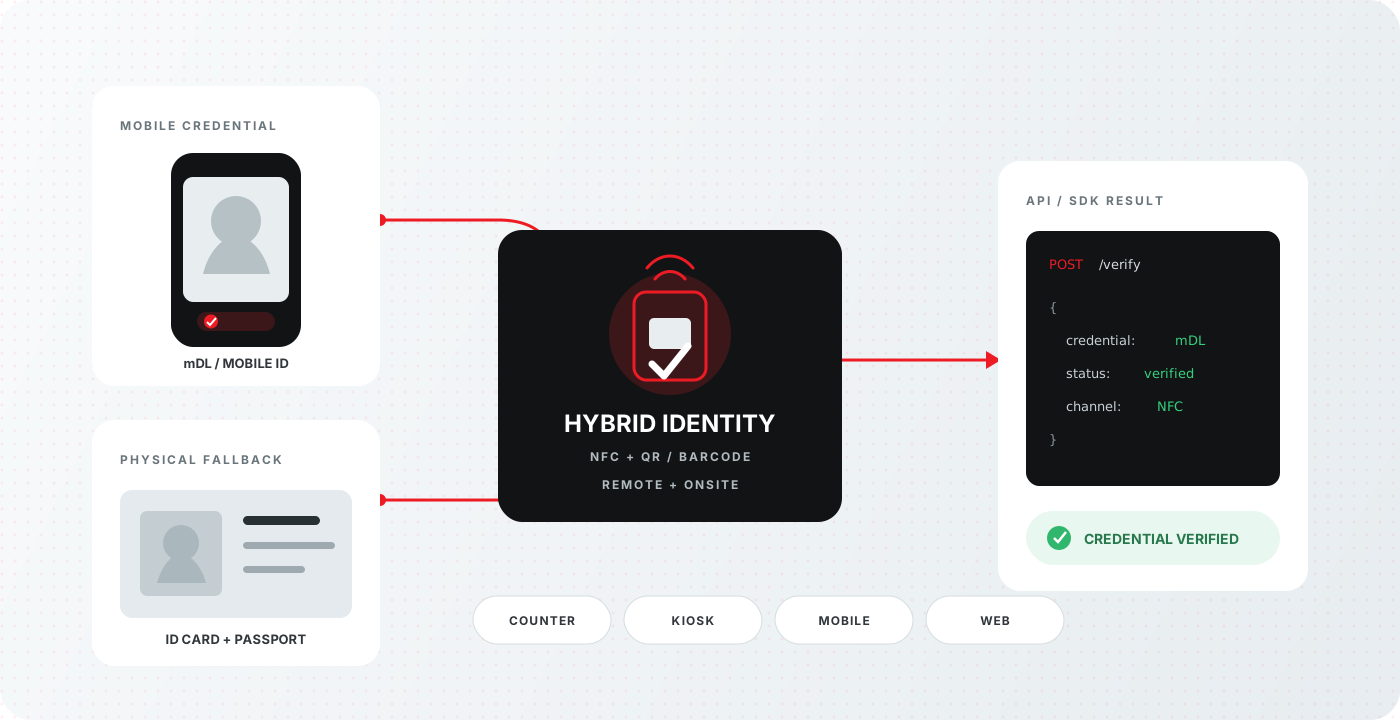
mDL and mobile ID at a glance
Review the input, output and delivery options for this Acupixel module.
| Input | A mobile driving licence or digital credential, presented over NFC or QR/barcode, for a remote or onsite workflow. |
|---|---|
| Output | Verified credential data. |
| Delivery | Cloud API, Local SDK |
| SKU | ACUMDL |
One identity workflow for mobile and physical credentials
ACUmDL extends Acupixel verification beyond physical documents while preserving the fallback paths, deployment choices and companion checks that existing identity workflows depend on.
From credential presentation to verified data
The workflow adapts to the credential and channel while returning a consistent result to your application.
Present the credential
The user presents a mobile driving licence or supported digital identity credential through NFC or QR/barcode.
Run the appropriate verification path
Your counter, kiosk, desktop, mobile or web workflow passes the credential through the cloud API or local SDK path that fits the deployment.
Use verified credential data
Return verified credential data to the application and continue into the identity, biometric or policy checks your workflow requires.
| Capability | How ACUmDL fits |
|---|---|
| Credential paths | Mobile driving licence, supported digital identity credential, physical ID and passport fallback |
| Presentation methods | NFC and QR/barcode |
| Deployment | Onsite counter, kiosk, desktop, mobile and web workflows |
| Integration | Cloud API, local SDK and platform integration options |
| Companion services | OCR data capture, forensic authentication, AAMVA verification, IDV Match and AcuFace |
Reader and issuer availability varies by deployment; confirm the required credential, jurisdiction and presentation method with Acupixel during implementation planning.
Related products
Combine focused Acupixel modules to build the verification workflow your product needs.
OCR data capture
OCR, MRZ, VIZ and PDF417 capture, as a cloud API or a local SDK.
Input Card images.
Output An OCR reading of the document's data.Document forensic authentication
Evaluate whether a presented identity document appears genuine, altered, copied, recaptured, inconsistent or otherwise suspicious. APX-DFA combines document-template analysis, OCR, barcode and MRZ cross-validation, and supported forensic imaging to return clear authentication findings.
Input Images of supported driver licences, ID cards, passports and other supported identity documents.
Output OCR and machine-readable data plus authentication findings, supporting checks and a Pass, Warning or Fail-style result.AAMVA driver's licence data verification
AAMVA verification covers 45 states, with Pennsylvania added in 2026.
Input Driver's licence data.
Output Verification against the issuing DMV's own record, through the AAMVA network.IDV Match
APX-IDV-Match connects identity and driver's licence information with Social Security identity data, phone ownership or association, and email identity data—giving your workflow broader nationwide evidence for its next decision.
Input Identity data such as name, date of birth, address and driver's licence or other identity information.
Output A multi-source identity corroboration result for downstream decisions.AcuFace biometric facial matching
AcuFace compares a live capture with a reference portrait, returns a 1:1 match and liveness determination, and retains no biometric data—no templates, images or embeddings. Deploy it in the cloud or on-premise.
Input A live capture and the document portrait.
Output A 1:1 match score and a liveness determination.